
Concepts
Coactive Concepts Overview
Coactive Concepts offers a flexible way to generate custom metadata, enabling continuous feedback to adapt tags to your specific search, tagging, or analytics needs. You can jump-start the process with existing labels and refine it over time as your data evolves.
What sets Concepts apart is their ability to align with your organization’s unique terms and visual patterns, providing more precise classification than standard tags. The Active Learning Engine learns from your feedback to improve results across all core services, including search, tagging, and analytics.
When to use Concepts
Like visual search, Coactive Concepts work best with visually distinct categories such as people, locations, objects, events, and actions.
Entertainment Industry Example – Unknown Celebrity
A streaming platform creates a “denise_nickerson” concept to tag Violet Beauregarde’s character from the original Charlie and the Chocolate Factory (1971) because the foundation model doesn’t initially recognize her. Through feedback, the platform learns to identify Violet across scenes, making it easier to curate nostalgic content or character-focused compilations.
Media Industry Example – Aerial Shots
A production studio creates an “aerial_shots” concept to identify drone footage of cityscapes or landscapes. With feedback, the platform learns to detect aerial angles and settings across films, improving searchability for promo materials or highlight reels.
Retail Industry Example – Athleisure
A retail brand creates an “athleisure” concept to tag content featuring people wearing leggings, sports bras, and hoodies/sweatpants. As the system refines with feedback, it identifies these items across lookbooks and photoshoots, enhancing campaign and inventory management.
Social Media Example – Trust & Safety (Gore)
A social media platform uses a “gore” concept to detect violent or graphic content, such as blood or injuries. Continuous feedback helps improve detection, ensuring better moderation and safer user experiences.
Setup and configure Concepts
You can configure Concepts in Coactive using the concept tab, located in the top navigation bar.
-
Login to your Coactive account
-
Create a new concept.
- Go to Concepts tab and select “Create a Concept.” in the right-hand corner
- In the “Dataset” field, choose your_dataset_name.
- In the “Name” field, enter your concept’s name.
- Example: aerial_shots
- In the “Description” field, ensure you have a crisp and visually distinct definition.
- Example Definition: Captured from high above, looking down on a flooded or snow-covered area, with water/snow covering roads, buildings, or land, and subjects appearing small in scale.
- Click “Create.”
-
Initial Search and training. On the concept creation page, you have three options to start training:
- Search Dataset: Use a specific query to find relevant images (e.g., “crown”).
- Find Similar Images in Dataset: Use one image to find visually similar ones.
- Upload Labels CSV: Add a CSV file with image labels.
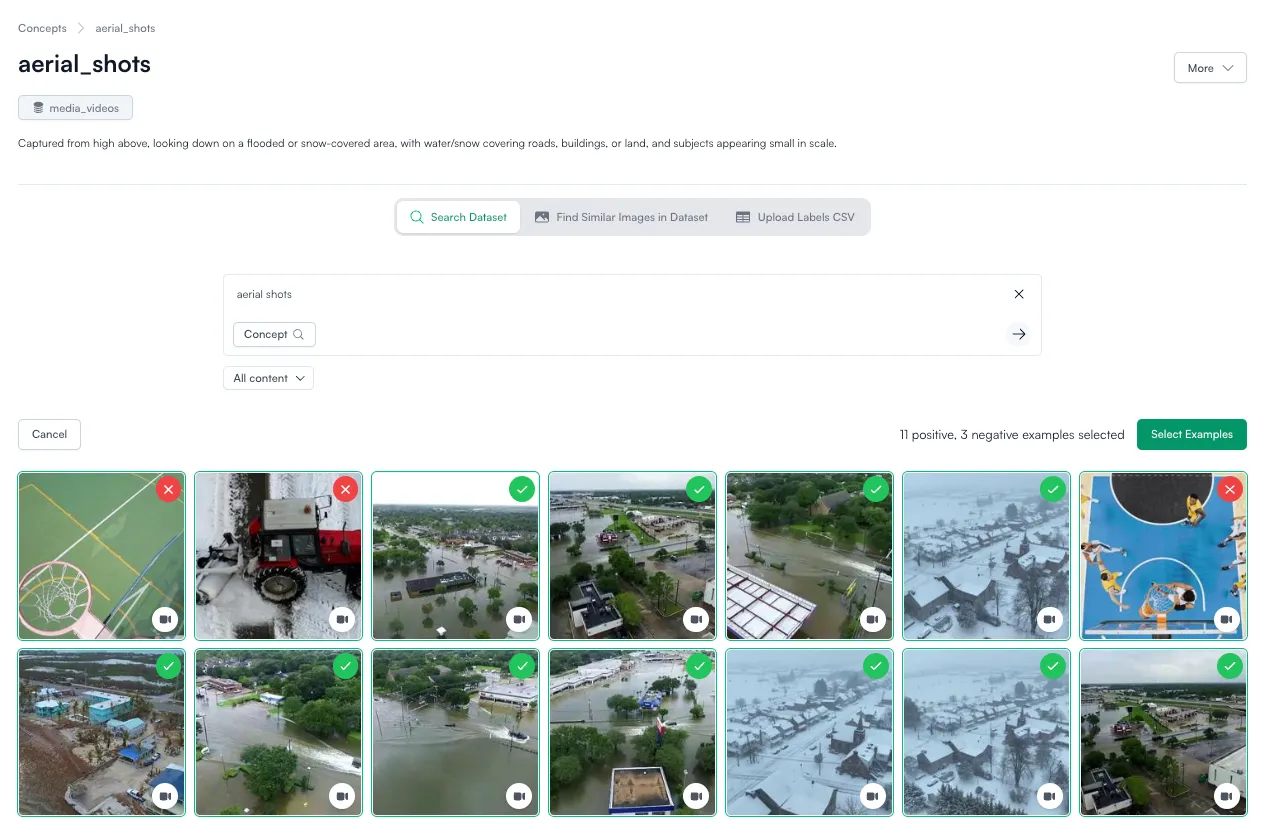 Within the results, click once on each image that matches your definition of the concept, click twice on each image that does not match your definition.
 - Images/videos that match will have a green checkmark in the upper right corner
- Images/videos that do not match will have a red “X.”
- Note: We suggest around 15-20 positive examples and 5-10 negative examples for this first round of training. If you do not tag or see any negative examples, the system will automatically tag one for you and you will be able to do more labeling after this initial train.
- Once done, click “Select Examples.”
-
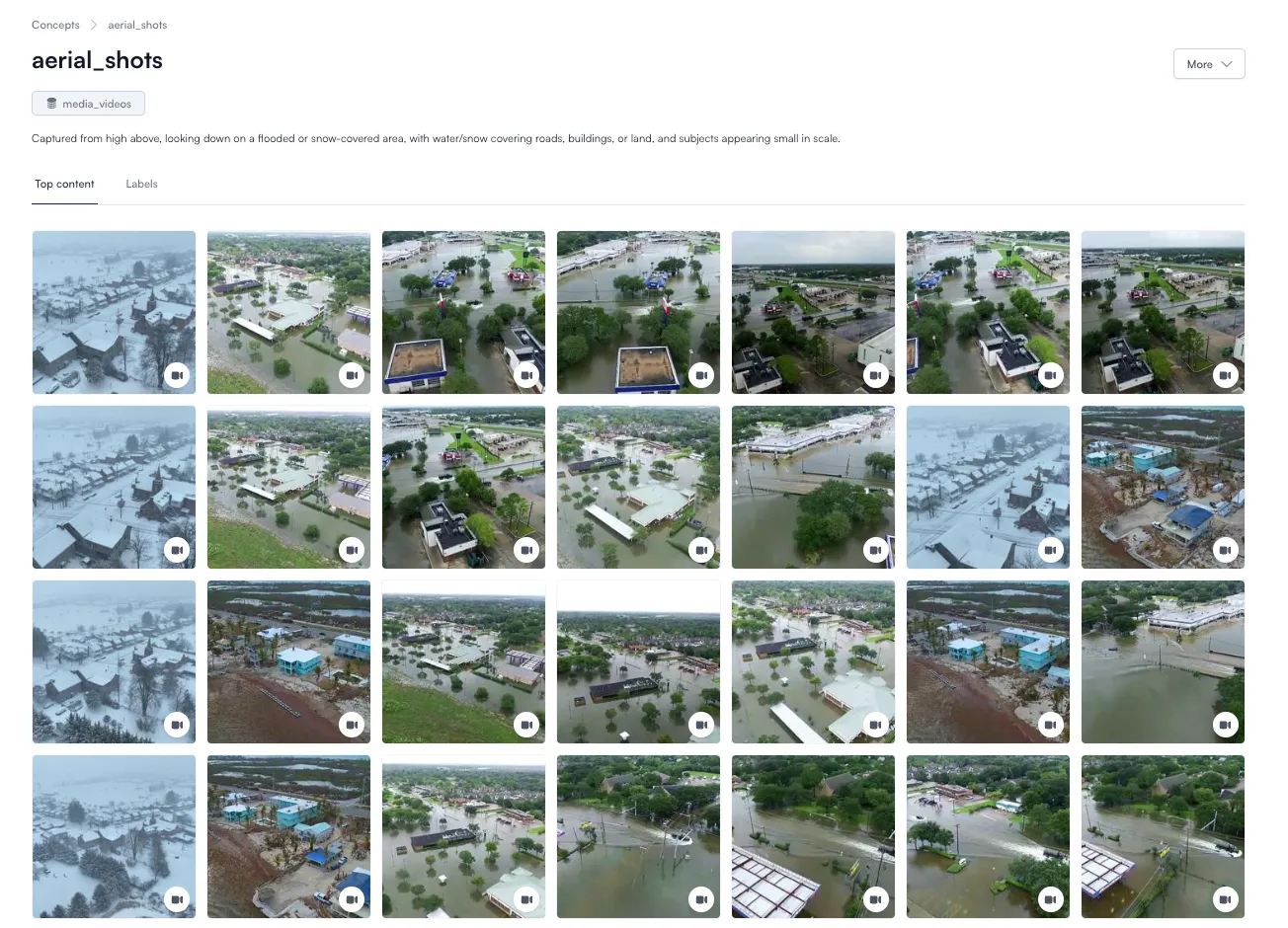
Review results. On your newly created concept page, review the initial results via the top content tab.
-
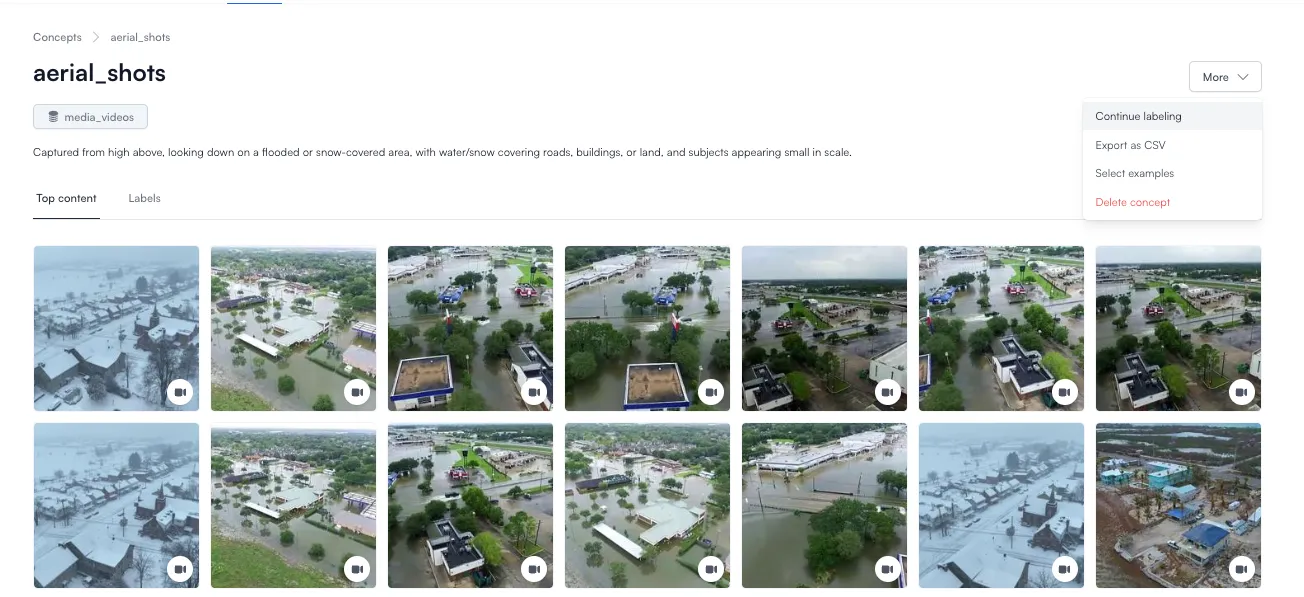
Continue Labeling. From the upper right “More” menu, select “Continue labeling” to further refine your concept by confirming edge case videos.
-
Select “Yes” for images/videos that match your concept’s definition and “No” for videos that do not. We suggest labeling 10-15 images/videos.
Tip: Try to avoid the “Skip” option. If you find yourself inclined to skip, consider rewriting the definition for your concept for crispness and clarity.
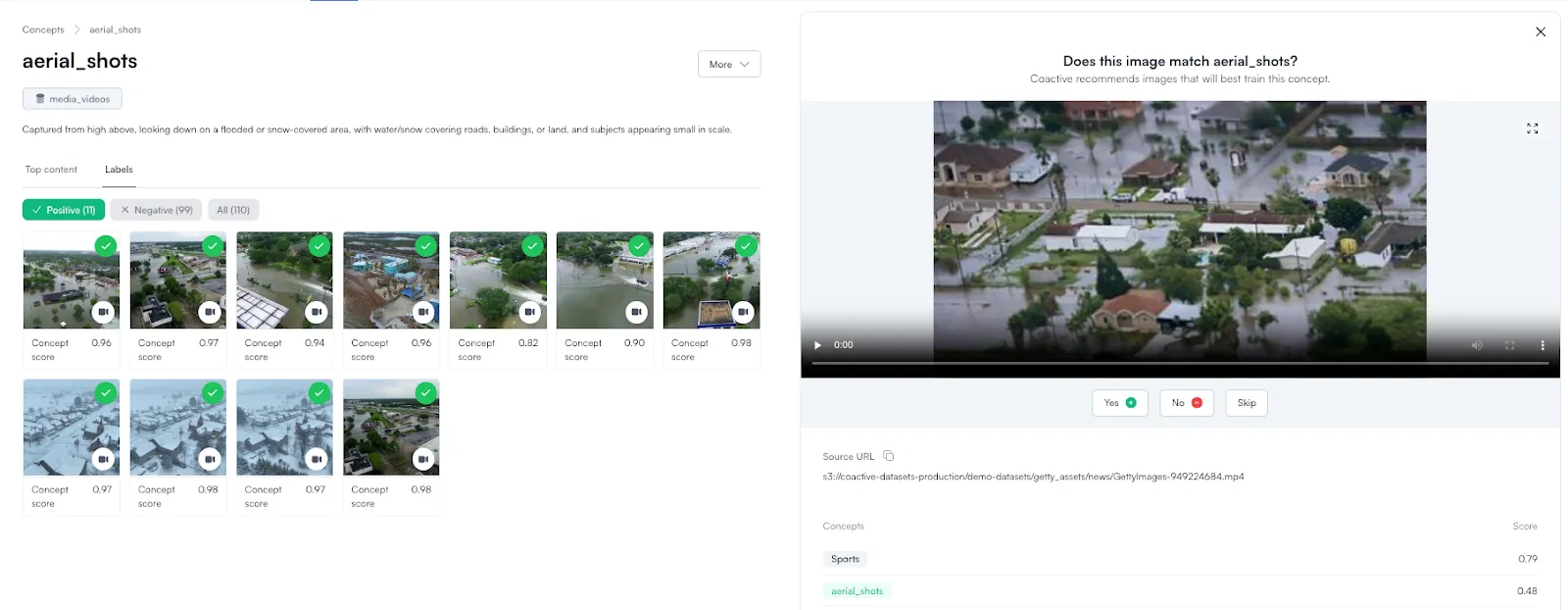
Note: The first ~7 images/videos during continued labeling might not appear relevant, but the model is exploring the boundary of a specific cluster within the vector embedding space to better define its scope of your concept.
-
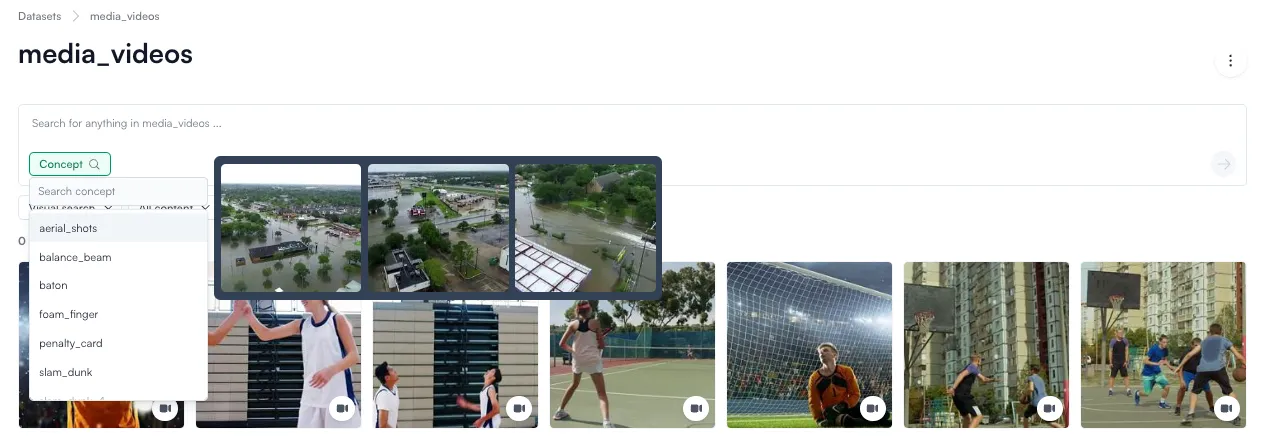
Search for Concepts: Once the concept is defined and trained, you can search for images in your dataset that represent this concept via the concept button in the search bar.
Tip: Hover. Can’t remember what the concept you labeled means? Hover over the concept in the concept dropdown to preview the top 3 images associated with that concept.
Advanced Troubleshooting
We always recommended starting with “continue labeling” and iterating on it 2-3 times. If top content appears to be failing in a specific way, we recommend:
- Re-evaluate your positive and negative labels and remove assets as necessary.
- As a last resort, go into your concept, and under the “more” dropdown on the right-hand side of the page, you can select “select more examples.” This will give you the ability to use NLP or upload a similar image to label the specific examples.
Dos:
- Iterate on labeling: Use “Continue Labeling” 2-3 times for the best results.
- Relabel affected videos if the concept definition changes.
- Evaluate both positive and negative examples during refinement.
Don’ts:
- Don’t skip images/videos during “Continue Labeling.” Instead, adjust your definition to clarify edge cases and relabel where necessary.
- Don’t label only incorrect examples—ensure both correct and incorrect samples are included to train the model effectively.
Evaluate images against a Concept and Analytics
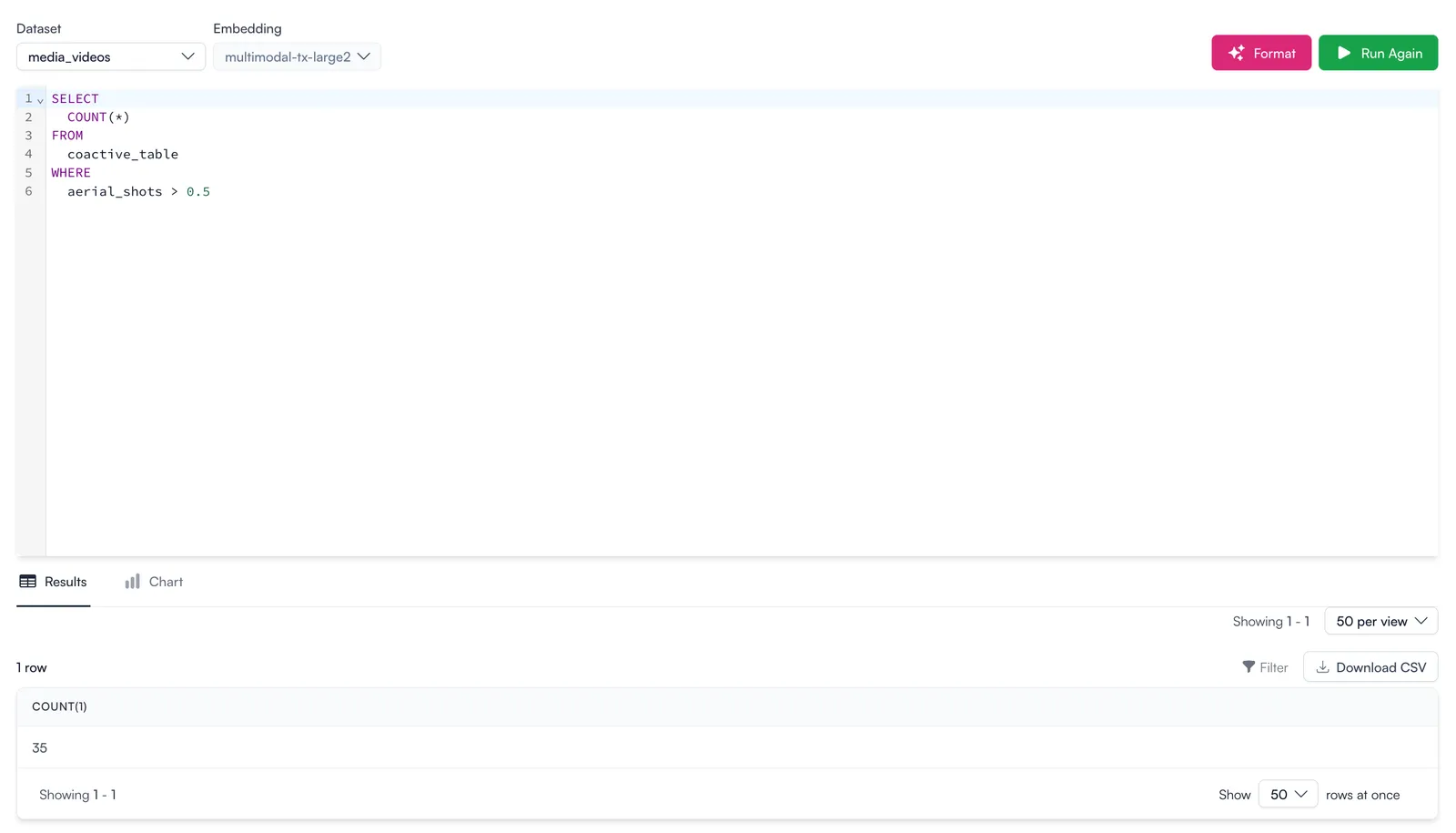
Coactive provides APIs and SDK to work with Concepts. Via the API or SDK, you can evaluate individual images and how well they represent the concept. Additionally, you can use the Coactive SQL engine to get statistics around concepts. For example, get the number of images in your dataset representing a Concept.
How are Concepts different from Dynamic Tags?
Dynamic Tags classify assets using widely recognized labels, such as IAB tags or common industry terms, based on the foundation model’s existing knowledge and training. These models recognize standard vocabulary and align relevant terms with the visual content. This means that each asset is automatically assigned a tag with a similarity score. Our platform displays the top 100 results, but to apply tags across the entire dataset beyond the top 100, users need to filter by score using SQL.
Coactive Concepts use classification models based on the provided training data to recognize and apply your internal terms or unique keywords. Users give feedback to the model via labels (e.g., the “continue labeling” function), which can account for both negative and positive visual prompts. The model isn’t concerned with the literal meaning of the terms—whether it’s “blue_uniform” or “blue_uniform2”—but instead focuses on visually similar patterns and characteristics. This flexibility ensures that the platform adapts to your specific needs, making it more relevant by integrating your concepts into search and analytics workflows.
In summary:
- Dynamic Tags: Automatic classification using foundation models and common vocabulary (e.g., IAB tags).
- Coactive Concepts: Custom classification using your organization’s unique terms, requiring model training for deeper relevance.
We are here to help
We want to ensure you have a smooth experience, so please feel free to reach out to our team if you have any questions or feedback.
Please feel free to contact us here for more information.